ModulCRM
CRM you assemble — pay only for what you use
A modular platform starting with ModulCRM for coworking. Add CRM, Invoice, Booking, Subscriptions, and Coworking — nothing more until you need it.
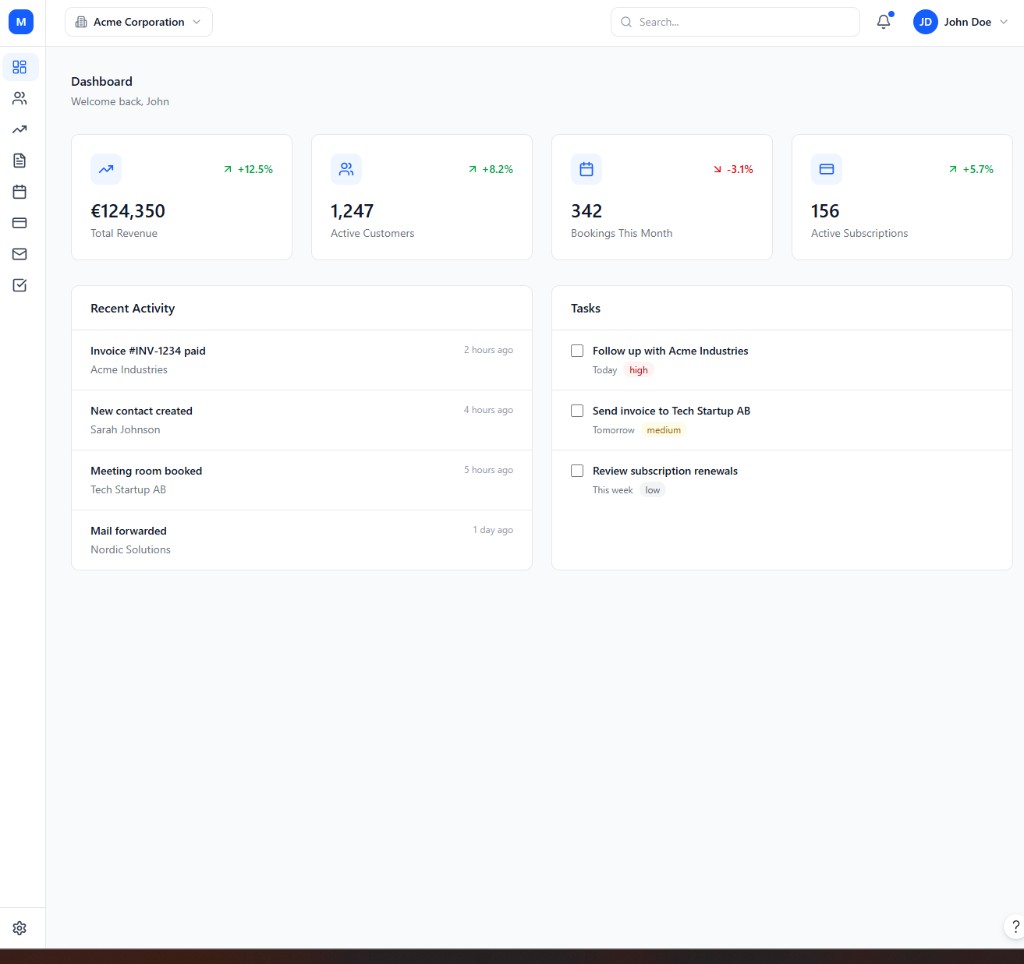
One platform. Your modules.
Most CRMs sell you a monolith. ModulCRM is pay-as-you-go: start lean, then plug in invoices, bookings, subscriptions, or industry packs when the business needs them.
Traditional CRM pricing forces a choice between a stripped-down free tier that cannot grow with you, or an all-in-one suite priced for features you will use maybe once a quarter. Neither model fits a business that needs strong contact management today and might need invoicing, booking, or industry-specific tools next year — but not all three on day one.
ModulCRM separates the platform into independently priced modules so that decision never has to be made in advance. The CRM module — contacts, pipeline, activity tracking, and dashboards — is the foundation every workspace starts with. From there, add-ons like Invoice, Booking, and Subscriptions extend what the CRM can do, and industry packs like Coworking bundle the specific workflows a vertical actually needs, all billed and tiered on their own.
Modular by design
Enable only the capabilities your team uses. No unused seats of features you never asked for.
Pay as you go
Each module has Basic, Growth, and Enterprise tiers — so cost scales with complexity, not marketing bundles.
Coworking first
We are building ModulCRM for coworking first, because that is the industry we operate in every day.
How ModulCRM works
Four steps take a workspace from a bare CRM to a fully assembled setup for your industry.
01
Start with CRM
Set up contacts, companies, and a pipeline that matches how your team already sells and works.
02
Add the modules you need
Turn on Invoice, Booking, or Subscriptions individually — each one connects straight to your existing contacts.
03
Layer an industry pack
Coworking (and later Gym) bundle the specific workflows your vertical needs on top of the same modules.
04
Choose a tier per module
Pick Basic, Growth, or Enterprise separately for each module, based on how advanced that part of the business is.
Launching with coworking
The first release focuses on operators who run desks, rooms, memberships, and virtual office mail — not generic sales-only CRM.
Coworking operators juggle a floor plan of hot desks and private offices, a stream of members with different plan entitlements, a front desk handling visitor passes and mail, and billing that spans memberships, room bookings, and day passes. Generic CRM or booking tools handle one of those problems at a time, which is why most flex spaces end up running three or four disconnected apps.
ModulCRM for coworking combines the CRM, Invoice, Booking, and Subscriptions modules with the Coworking industry pack, so floor-plan inventory, member self-service, credits, and mailroom sit next to the same contact and billing records used everywhere else in the platform. Because we run a coworking business ourselves, every workflow in this first release is built against operations we deal with directly, not a hypothetical customer persona.
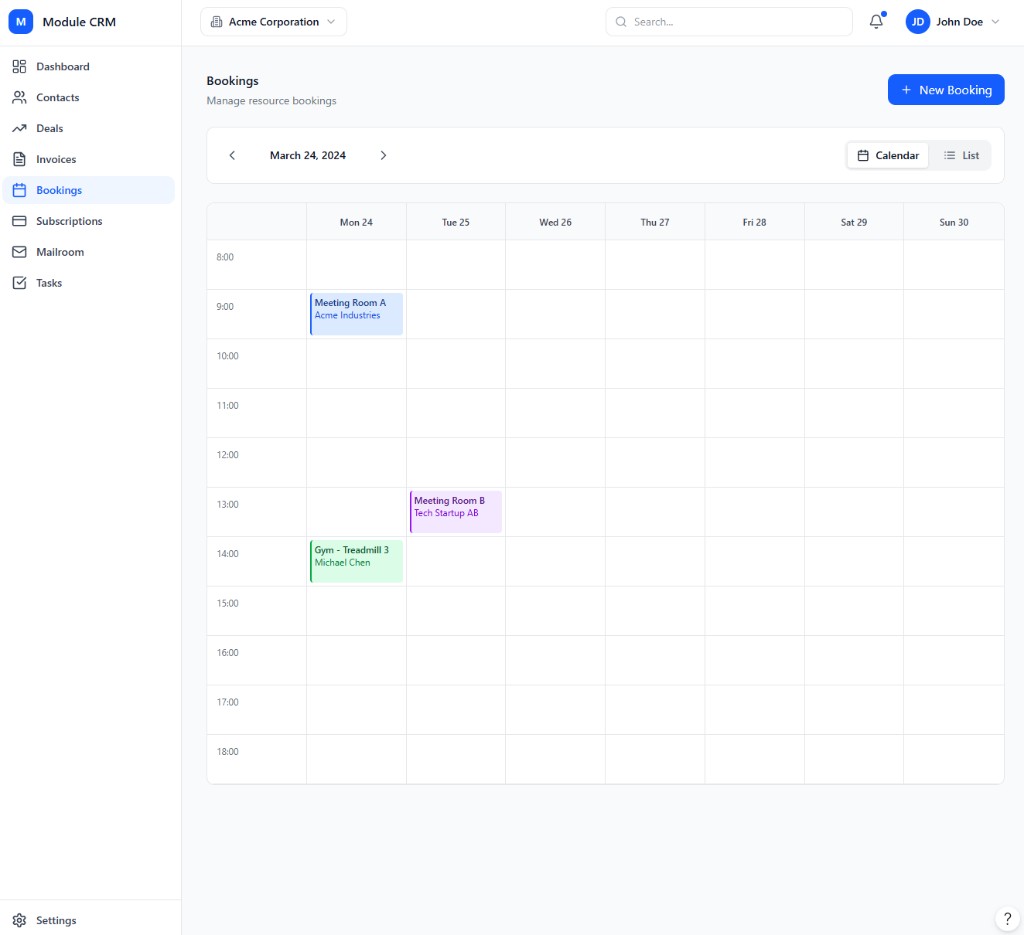
Modules in the first wave
Base CRM plus add-ons and the Coworking industry pack for operators.
CRM
LaunchContacts, pipeline, and activity in one place
Contacts, pipelines, and activity history in one shared record — the core every other module builds on.
CRM module →Invoice
LaunchCreate, send, and track invoices
Turn CRM contacts into paid invoices with templates, online payment links, and automatic reminders.
Invoice module →Booking
LaunchRooms, resources, and appointments
A shared calendar for rooms, desks, and appointments, with self-service booking that never double-books a slot.
Booking module →Subscriptions
LaunchPlans, billing cycles, and MRR
Sell membership and subscription plans with trials, proration, and dunning built in from day one.
Subscriptions module →Coworking
LaunchBuilt for coworking operators
An interactive floor plan, member self-service, and mailroom built specifically for coworking operators.
Coworking module →Frequently asked questions
Answers to the questions we hear most often about the modular, pay-as-you-go model.
- What does pay-as-you-go actually mean for ModulCRM?
- It means you are billed per module you enable, not for a fixed bundle of features you may never touch. The CRM module is the base, and each add-on or industry pack — Invoice, Booking, Subscriptions, Coworking, Gym — has its own Basic, Growth, and Enterprise tier that you choose independently. If you only need contact management and invoicing, you enable those two modules at whatever tier fits, and nothing else shows up on your bill.
- Can I start with just the CRM module?
- Yes. The CRM module works fully on its own as a contact and pipeline tool. Add-ons like Invoice, Booking, and Subscriptions, and industry packs like Coworking, are optional layers you turn on later, whenever the business actually needs them — not before.
- Why is ModulCRM launching with coworking first?
- Because it is the industry we operate in ourselves. Rather than guess what a coworking operator needs, we are building the Coworking module against our own day-to-day operations — floor plans, member self-service, credits, and mailroom — before generalizing the platform to other industries.
- When can I get access to ModulCRM?
- ModulCRM is not yet publicly available. Joining the waitlist puts you in line for early access and early pricing as the coworking-focused launch modules — CRM, Invoice, Booking, Subscriptions, and Coworking — become ready.
- Will there be more industry packs after Coworking?
- Yes. Gym is already planned as the next industry pack, reusing the same CRM, Invoice, Booking, and Subscriptions modules. Additional packs and add-ons — such as Staff, Maintenance, and Forms — are on the longer-term roadmap.
- How is my data organized if I use several modules?
- Every module reads and writes to the same underlying contacts, companies, and deals in your CRM. A booking, an invoice, and a subscription for the same customer all show up against one shared record, so you never have to reconcile data between separate tools.
Get early access
Join the waitlist for ModulCRM early access and be first to hear when pricing and onboarding open.